Remove Block
Rating
5
Orientation
Portrait
Release Date
2025-03-27
What is Remove Block
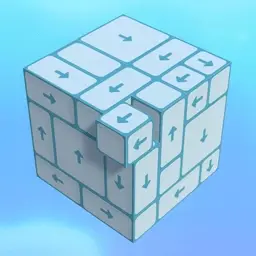
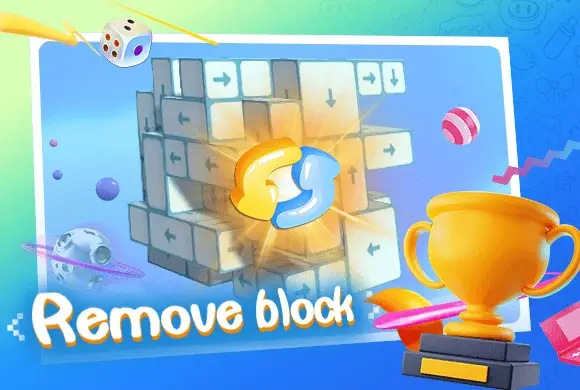
Remove Block is an engaging and highly addictive 3D spatial puzzle game designed to challenge your observation and logical planning skills. The core mechanics are remarkably intuitive: the screen features complex 3D arrays of blocks marked with arrows. Your task is to tap the blocks to send them flying in the direction indicated. However, the catch lies in the structural blockages—a block can only be removed if its path is clear of obstacles. You must rotate the entire structure 360 degrees, examining it from every angle to find the right sequence for disassembly. As you progress, the number of blocks increases and the formations become significantly more intricate, putting your spatial imagination to the ultimate test. With its clean visual style, satisfying sound effects, and minimalist controls, Remove Block offers the perfect balance of mental stimulation and stress-relieving relaxation. Can you clear all the cubes and master the higher levels?
Key Game Features
360-Degree Rotation: Rotate the 3D structures freely to examine block arrangements from every angle. This multi-dimensional perspective shifting is crucial for finding hidden openings and solving complex puzzles.
Spatial Logic Challenge: More than just tapping, the game requires precise sequence calculation. Understanding block obstructions and planning the optimal disassembly strategy provides a great workout for your brain.
Satisfying & Relaxing Feedback: With smooth animations and crisp block-sliding sound effects, every successful removal brings immense psychological satisfaction, making it a top choice for stress relief during breaks.
Progressive Difficulty Levels: Level difficulty increases progressively, ranging from a few simple cubes to giant matrices of hundreds of blocks, ensuring players stay engaged with a constant sense of achievement.
How to Play & Master
Observe the Arrows:Carefully observe the arrow icons on each block, which indicate the direction they will fly out.
Find the Opening:Identify "free blocks" whose exit paths are not obstructed by other cubes.
Tap to Remove:Tap the eligible blocks to send them flying off the screen.
Rotate the View:If stuck, swipe the background to rotate the 3D array and find openings from different angles.
Clear to Win:Clear all blocks within the given time or moves to unlock the next challenging stage.
Game Controls
PC:Use the Left Mouse Button to click and drag the background to rotate the 3D structure; Left Click on blocks to remove them.
Mobile:Swipe with one finger on the background to rotate the view; Tap on blocks to clear them.*
Frequently Asked Questions (FAQ)
Q: Why didn't the block fly away?
A: Because its exit path is blocked by other cubes. Try removing the obstacles first or rotate the structure to find a clear path.
Q: What if I run out of time?
A: Stay calm and rotate the view quickly! You can often find groups of movable blocks from different angles—tapping them in quick succession saves a lot of time.
Q: Is there a move limit?
A: In this version, there is usually only a time limit. You are free to experiment with taps until you find the correct disassembly sequence.
















 372.6K