Draw Color
Rating
5
Orientation
Landscape
Release Date
2025-04-29
What is Draw Color
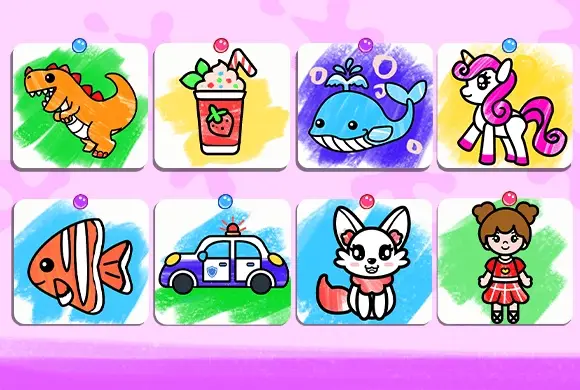
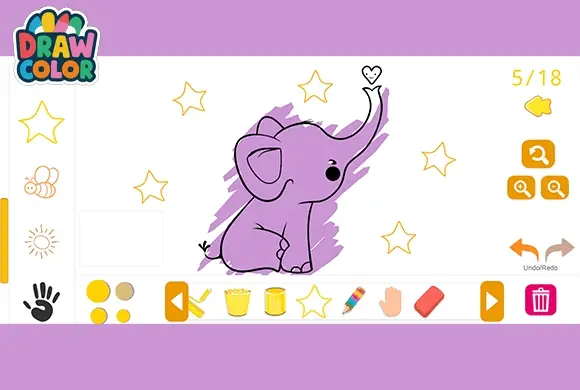
Draw Color is a delightful and therapeutic digital coloring book designed to spark creativity in players of all ages. Whether you are a budding young artist or looking for a relaxing way to destress after a long day, this game offers the perfect canvas for your imagination. The game features a vast library of charming line-art templates, including adorable animals like bears, scenic houses, and everyday objects. What sets Draw Color apart is its professional-grade variety of artistic tools; players can choose between pencils for fine detail, markers for vibrant fills, brushes for artistic strokes, and paint buckets for instant coloring. With an intuitive interface that supports zooming for precision and a handy undo/redo function, creating a masterpiece has never been easier. Dive into a world of vibrant palettes and let your artistic spirit soar as you transform simple black-and-white sketches into colorful works of art.
Key Game Features
Diverse Toolset: Access pencils, markers, paint buckets, and rollers for varied artistic effects.
Relaxing Experience: Enjoy a stress-free environment that promotes mindfulness and creativity.
Huge Template Library: Choose from dozens of adorable sketches including animals, buildings, and nature.
Precision Editing: Utilize the zoom and undo/redo features to perfect every single detail.
How to Play & Master
Starting your artistic journey in Draw Color is simple and inviting. Upon entering the game, you are greeted with a selection of line-art sketches. Use the orange arrow buttons on the sides to browse through different categories and pick a template that inspires you—perhaps the cute bear holding an ice cream or a cozy little house. Once your canvas is ready, look to the right-side menu to select your drawing instrument. If you want to color large areas quickly, the paint bucket or roller is your best friend. For finer details and shading, the pencil and marker provide the control you need. Next, choose your color from the palette on the left or the quick-select circles at the bottom. Simply click or tap on the area of the sketch you wish to color. If you make a mistake, don't worry—the undo button is right there to fix it. You can also zoom in using the magnifying glass icons to ensure you don't go over the lines in smaller sections. When you’re finished, admire your work or use the trash icon to start over with a fresh palette.
Game Controls
Use the Mouse or Touchscreen to select tools and colors. Click or tap on the canvas to apply paint.
Frequently Asked Questions (FAQ)
Q: How do I color small, detailed areas?
A: Use the magnifying glass icons (+/-) to zoom in for better precision.
Q: Can I change tools in the middle of a painting?
A: Yes, you can switch between pencils, buckets, and markers at any time.
Q: What if I don't like my color choice?
A: You can use the Undo button to step back, or simply color over it with a new selection.














 436.7K